🎓 Automated Presentations: From Papers to PowerPoint
This tutorial shows how to use OpenCode to create a PowerPoint presentation from a scientific paper.
What you’ll learn
- How to summarize scientific papers into presentations
- How to include figures and key takeaways
- How to format slides for journal club
Steps
You can run this in Plan mode to optimise the output. Here is a prompt for the paper Integration of variant annotations using deep set networks boosts rare variant association testing:
Make me 5-10 slide presentation for Journal club for this paper: https://www.nature.com/articles/s41588-024-01919-z
* Keep word usage low
* Include main figures
* summarise key take aways from paper
* output it as a powerpoint
Results
Here’s what it made: DeepRVAT_JournalClub.pptx
Example slide:
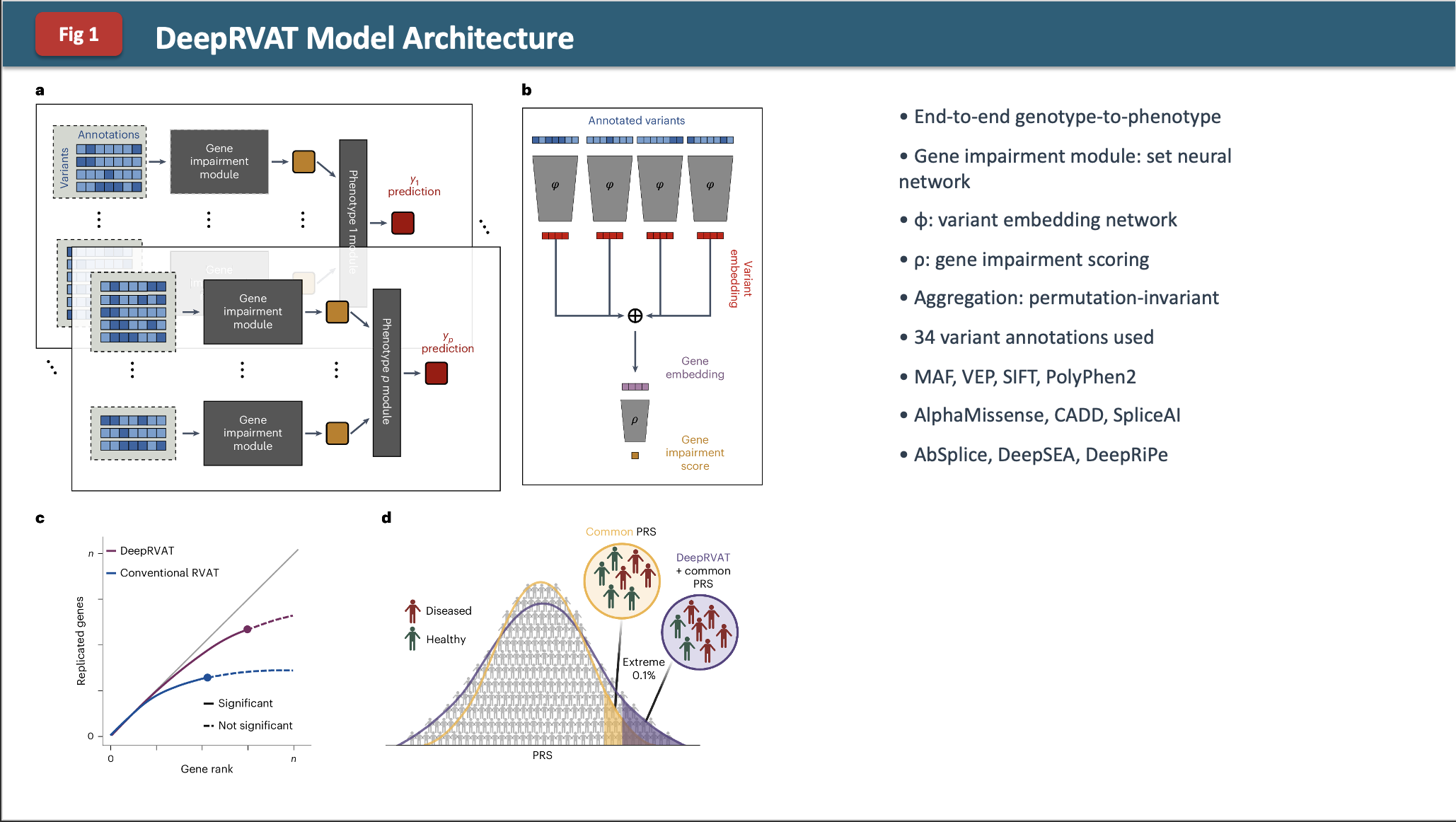
Observations
The formatting is a bit funky and it is not too in-depth.
Challenge
What changes in the prompt or in Plan mode would you add to make a better output?
Some ideas:
- Ask for specific slide templates or layouts
- Request speaker notes for each slide
- Specify the audience level (beginner, advanced, etc.)
- Ask for a consistent color scheme or theme
- Request more detailed figure annotations