🚀 Getting Started with AI Coding Tools
Watch the full walkthrough
The YouTube series is the complete guide: it covers this page and builds your first working agent. Follow the video. The notes below are reference.
▶ Open the Agentic AI in Life Science playlist on YouTube
Prefer to read? Keep scrolling. Stuck on installation? Jump to Get OpenCode for the illustrated walkthrough.
Overview
This repo helps the lab adopt agentic work: it shares lessons and optimisations.
Coding agents differ from chatbots: they read and write files on your computer.
Tools
A coding agent runs on your computer: it reads and writes files, runs commands, and works on your project.
- GitHub Copilot (recommended) — GitHub; CLI or desktop. Follow the GitHub Education signup guide to get Copilot Pro free and install the CLI.
- OpenAI Codex — OpenAI; CLI and cloud agent.
- Claude Code — Anthropic; CLI. Paid.
- OpenCode + OpenRouter — open-source; desktop app, many providers.
How AI Coding Tools Work
A coding agent is a stack of three layers:
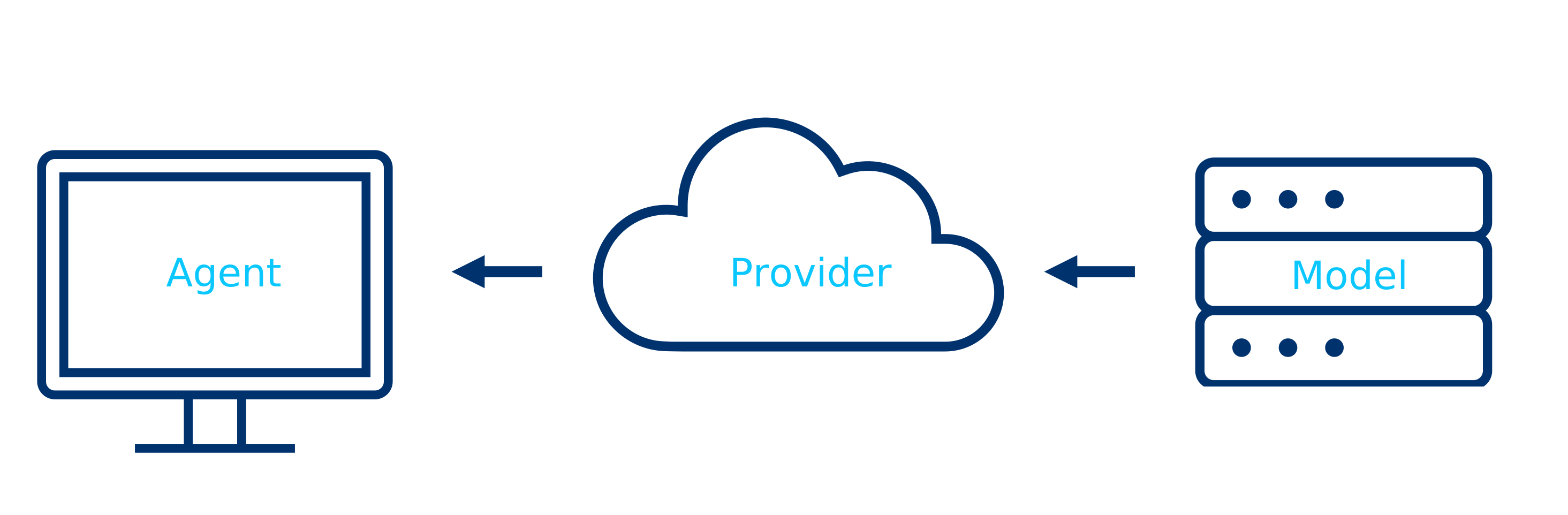
- Agent — the program on your computer (or in the cloud) that reads your files, runs commands, and writes code. Examples: GitHub Copilot, Claude Code, OpenCode.
- Provider — the service that hosts the model. Examples: GitHub, Anthropic, OpenRouter.
- Model — the large language model that generates the code. Examples: Claude Opus 4.5, GPT-4.1, Kimi K2.5, GLM 5.2.
You choose an agent, connect it to a provider, pick a model. Combinations differ in privacy and cost (see OpenRouter’s privacy and model safety settings):
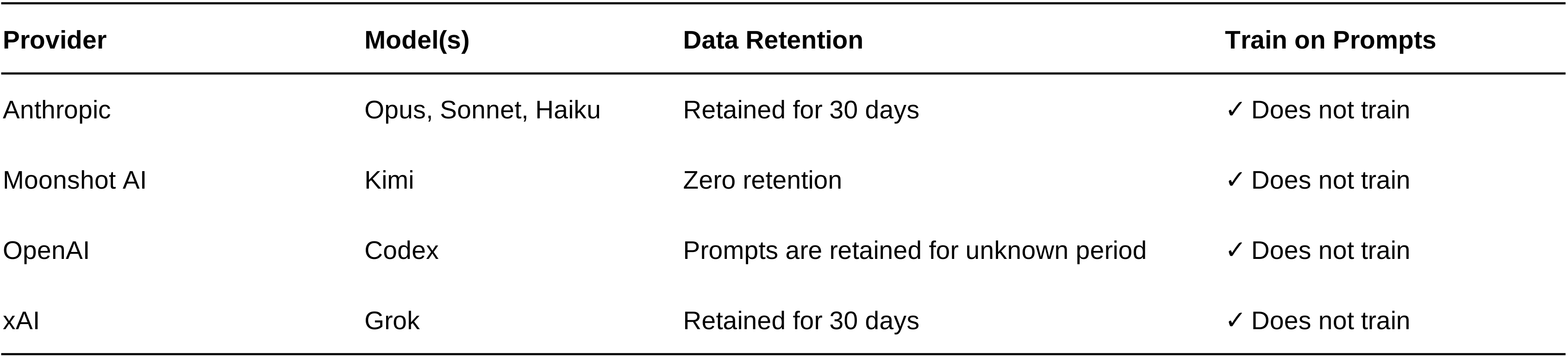
Note: Free models on OpenRouter may train on your data. To avoid this, use a paid model or check the model’s training policy first.