🎓 Automated Presentations: From Papers to PowerPoint
This tutorial shows how to use OpenCode to create a PowerPoint presentation from a scientific paper.
What you’ll learn
- How to summarize scientific papers into presentations
- How to include figures and key takeaways
- How to format slides for journal club
Steps
You can run this in Plan mode to optimise the output. Here is a prompt for the paper Integration of variant annotations using deep set networks boosts rare variant association testing:
Make me 5-10 slide presentation for Journal club for this paper: https://www.nature.com/articles/s41588-024-01919-z
* Keep word usage low
* Include main figures
* summarise key take aways from paper
* output it as a powerpoint
Results
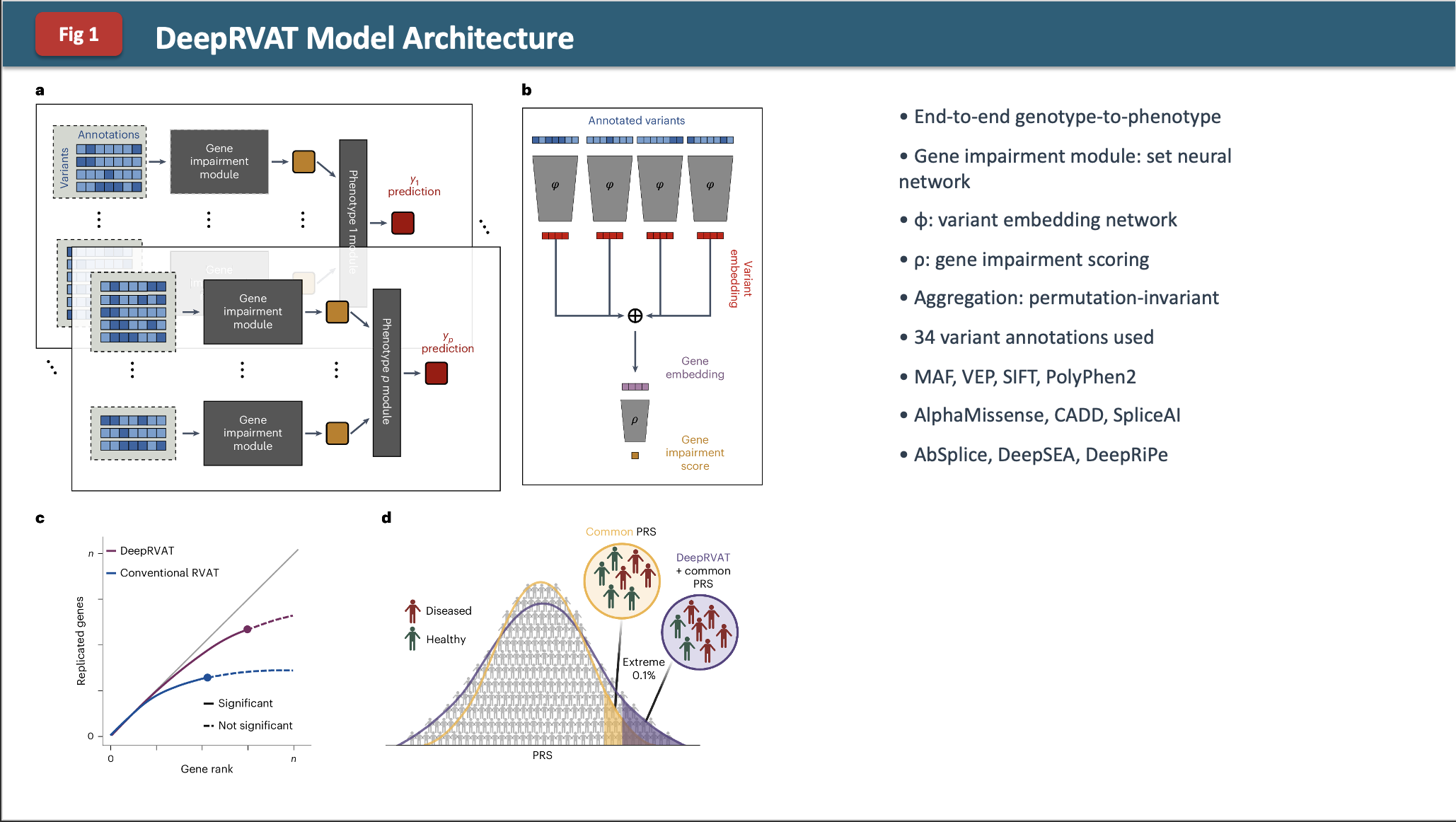
Here’s what it made: DeepRVAT_JournalClub.pptx
Example slide:
Observations
The formatting is a bit funky and it is not too in-depth.
Challenge
What changes in the prompt or in Plan mode would you add to make a better output?
Some ideas:
- Ask for specific slide templates or layouts
- Request speaker notes for each slide
- Specify the audience level (beginner, advanced, etc.)
- Ask for a consistent color scheme or theme
- Request more detailed figure annotations
Advanced: Getting Skills with APM
The presentation above works, but the output can be improved significantly by using a skill — a reusable prompt template that teaches Claude how to do a specific task well.
Why skills matter
Skills give the agent domain-specific knowledge so it doesn’t have to figure everything out from scratch each time. The difference is significant:
| With skill | Without skill | |
|---|---|---|
| Workflow | Automatic execution | User provides instructions each time |
| Interaction | 2 clarifying questions | 15 back-and-forth messages |
| Failed API calls | 0 | 3 requiring retry |
| Tokens consumed | ~6,000 | ~12,000 |
Skills cut cost, reduce errors, and produce better output with less effort.
Getting skills from Anthropic
Anthropic maintain a library of official skills at github.com/anthropics/skills, including a pptx skill that generates polished PowerPoint files directly.
Instead of manually downloading skills, you can use the Agentic Package Manager (APM) to install them in one command. APM is a dependency manager for AI agent context — think npm or pip, but for prompts, instructions, and skills. See the APM tutorial for the full guide.
Install APM
curl -sSL https://raw.githubusercontent.com/microsoft/apm/main/install.sh | sh
Install the pptx skill
From your project directory:
apm init                                          # creates apm.yml if you don't have one
apm install anthropics/skills/skills/pptx         # install the pptx skill
apm compile --target claude                       # generate CLAUDE.md with the skill included
Use the skill
Restart your Claude Code session (skills are loaded at startup), then invoke it with:
/pptx Make me a 5-slide journal club presentation for this paper: <url>
Instead of writing Python/python-pptx code, Claude handles the entire presentation creation end-to-end using the skill’s built-in template and logic.
Browse more skills
You can explore the full Anthropic skills library for other useful capabilities:
# Browse what's available
apm search anthropics/skills
Or visit github.com/anthropics/skills directly to see all available skills.